ENTERING HIS PRESENCE
WELCOME
Welcome to Christ Glory Family ✦ Sunday Service: 9:00 AM ✦ Morning prayers Mon - Frid 08:00 AM ✦ Woman of Glory Wednesday 12:00 PM ✦ 2026 — Year of the Fullness of the Blessing ✦     Welcome to Christ Glory Family ✦ Sunday Service: 9:00 AM ✦ Morning prayers Mon - Frid 08:00 AM ✦ Woman of Glory Wednesday 12:00 PM ✦ 2026 — Year of the Fullness of the Blessing ✦
Get the Glory Hub App Home About Ministries Word Salvation Prayer Gallery Give Testimonies Cell Groups Contact FAQ

Glory Hub

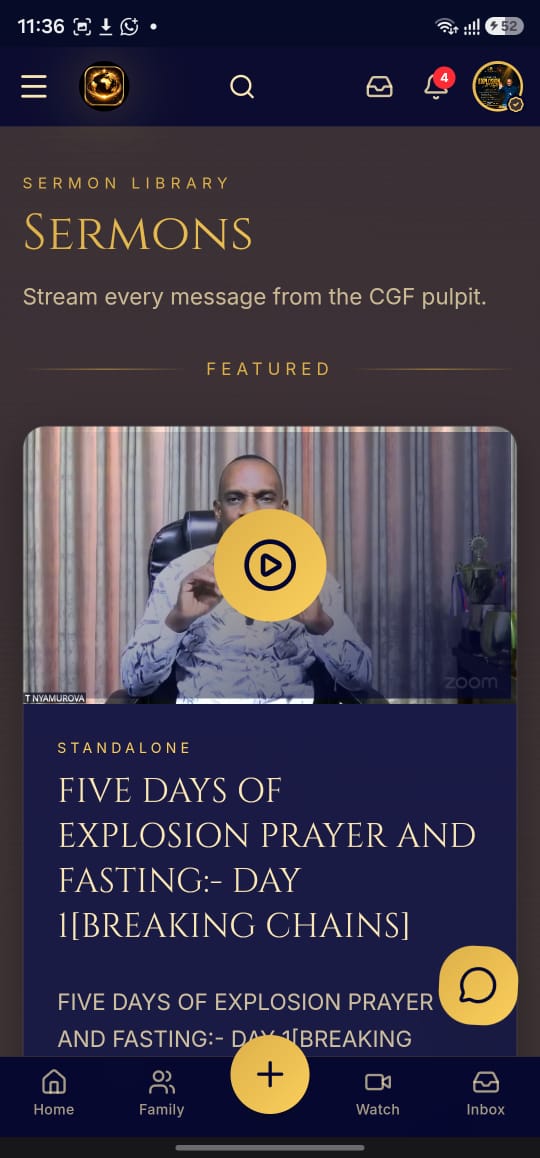
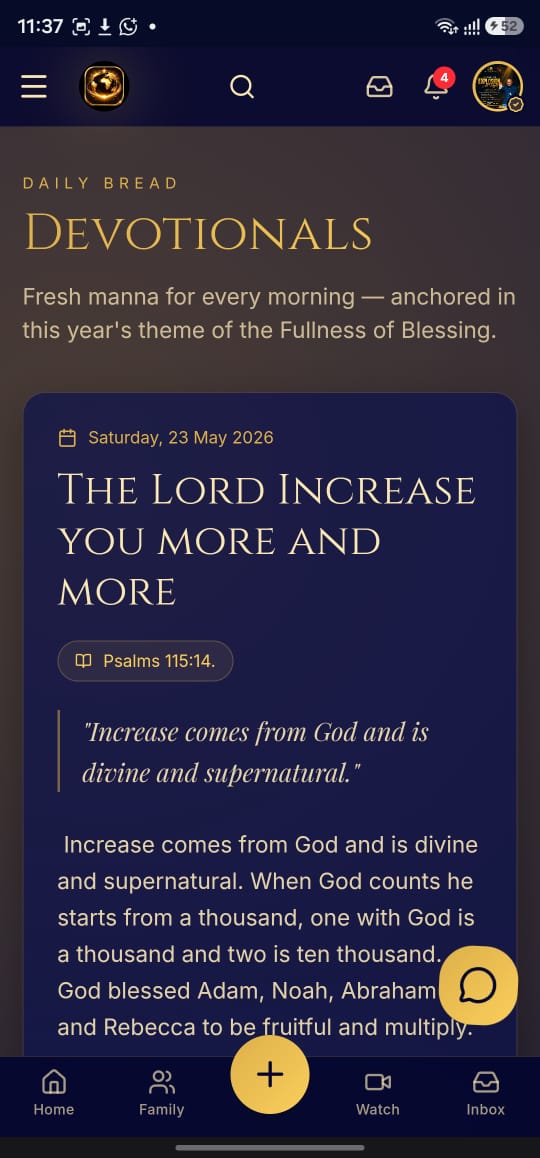
Carry the ministry with you. The Bible, daily devotionals, live services, sermons, prayer, Glory Rooms and giving — all in one free app on your phone.

Free · No app store needed · Works on Android, iPhone and desktop
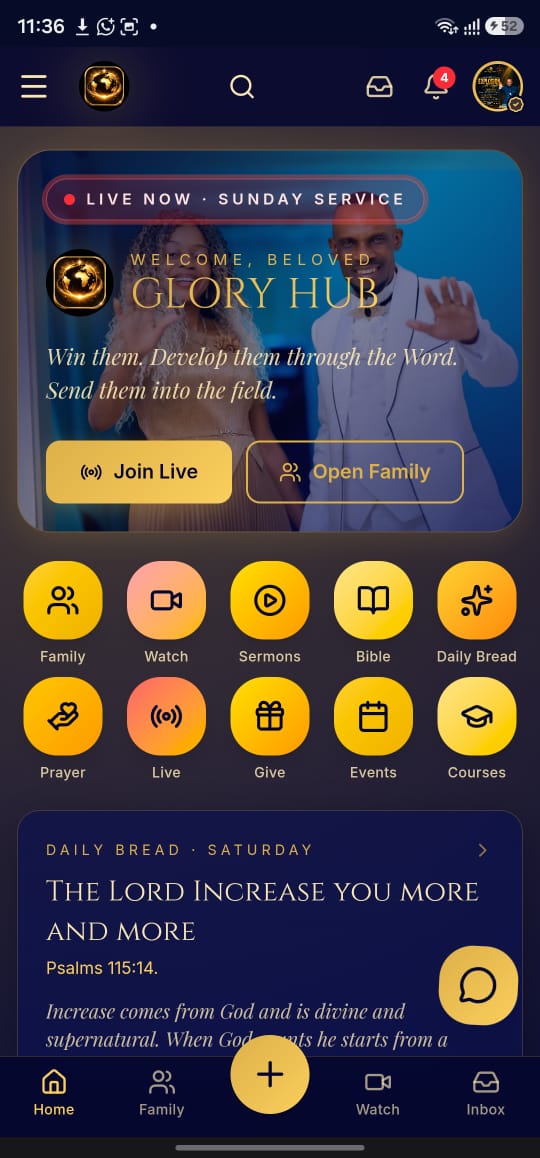
Glory Hub app screenshot

Everything in One Place

📖

The Holy Bible

The full Bible with multiple translations, always in your pocket.

🔥

Daily Bread

Daily devotionals to keep you fed in the Word every morning.

🎥

Watch & Sermons

Live services and the full sermon library from the ministry.

🙏

Prayer & Fasting

Prayer points, fasting plans and prayer requests in one place.

👥

Glory Rooms

Join live video gatherings and fellowship wherever you are.

✍️

My Notes

Take sermon notes and save them alongside your bookmarks.

Glory Assistant

Ask questions about the Word and get scripture-based answers.

💛

Give

Sow your seed and support the ministry securely from the app.

Glory Hub Screenshots

Glory Hub screenshot 2
Glory Hub screenshot 3
Glory Hub screenshot 4

How to Install

Glory Hub installs straight from your browser — there is nothing to download from an app store, and it takes up almost no space on your phone.

Android Chrome
  1. Open gloryhub.christgloryfamily.org in Chrome.
  2. Tap the menu at the top right.
  3. Tap Add to Home screen (or Install app).
  4. Tap Install — the Glory Hub icon appears on your home screen.
iPhone / iPad Safari
  1. Open gloryhub.christgloryfamily.org in Safari.
  2. Tap the Share button at the bottom.
  3. Scroll down and tap Add to Home Screen.
  4. Tap Add — you are done.
Computer Chrome / Edge
  1. Open gloryhub.christgloryfamily.org.
  2. Click the install icon in the address bar.
  3. Click Install.
  4. Glory Hub opens in its own window, like any other app.
Open Glory Hub Now →

Already installed? Just tap the icon on your home screen.

Invite Someone to Glory Hub

Send this page to a friend, a family member, or your cell group — and help them carry the Word wherever they go.

Share on WhatsApp
About